ADHD Time Chaos? This Home Assistant Automation Finally Solved My Schedule Problems
How I use Fastmail, Home Assistant Voice, and OpenAI TTS to create calendar reminders that actually work with my ADHD brain instead of expecting it to magically understand time.


🔄 Updated for 2026: An earlier version of this article used Amazon Alexa for the spoken calendar reminders. I've since evicted Alexa from this particular job and replaced it with Home Assistant Voice + OpenAI TTS. The core automation is the same idea, but the current version below reflects the setup I'm actually using today.
Staying on top of time with ADHD is like trying to herd hyperactive squirrels who all just discovered espresso.
You can make a schedule. You can put everything on a calendar. You can even look directly at that calendar in the morning and think, "Yep, I know exactly what I'm doing today."
Then you start one thing.
Suddenly it's three hours later, you've reorganized a Docker stack, researched a networking problem you didn't actually have, and the meeting that was "later" started twelve minutes ago.
So one of my ongoing side quests in this homelab and smart home adventure has been figuring out how to make my environment carry some of that cognitive load for me.
For years, Google did that surprisingly well.
Now I'm rebuilding it myself.
And after originally using Alexa for the voice side of this automation, I've since moved that responsibility into Home Assistant too - using Home Assistant Voice hardware and OpenAI's text-to-speech integration.
The result is a calendar reminder system that feels less like a notification and more like my house politely interrupting whatever rabbit hole I've disappeared into.
🧠 ADHD Brain Note
A calendar can know exactly what's happening and still be completely useless if you forget to look at it.
The Google Ecosystem Worked... Almost Too Well
Breaking away from Google wasn't something I did overnight.
I've been using Gmail since the early days, back when "Don't be evil" was still a thing we pretended meant something. And despite all my privacy concerns, there's a reason Google's ecosystem became so difficult to leave:
It's really damn convenient.
Gmail, Google Calendar, Drive, Android, Nest - everything knows about everything else.
For my ADHD brain, one feature was particularly valuable: spoken calendar reminders.
My Google Nest devices could repeatedly remind me that an event was approaching:
- One hour before
- Thirty minutes before
- Fifteen minutes before
- Five minutes before
That repetition mattered.
An appointment being an hour away doesn't necessarily feel like anything.
Thirty minutes starts becoming relevant.
Fifteen minutes means I should probably stop what I'm doing.
Five minutes means AJ, CLOSE THE PROXMOX TAB.
Without those external interruptions, I can drift through time like a confused sci-fi character who missed a jump gate.
🧠 ADHD Brain Note
ADHD isn't necessarily bad at understanding clocks. The problem is that "later" and "OH CRAP, NOW" can feel suspiciously similar.
Rebuilding the Same Magic With My Own Smart Home
My original challenge was straightforward:
Can I recreate Google's calendar announcements using infrastructure I control?
The first version used Fastmail, Home Assistant, and Alexa.
It worked.
But there was something slightly ridiculous about building the entire automation inside Home Assistant and then handing the final five feet of the process over to Alexa.
So I eventually replaced that part too.
My current setup looks like this:
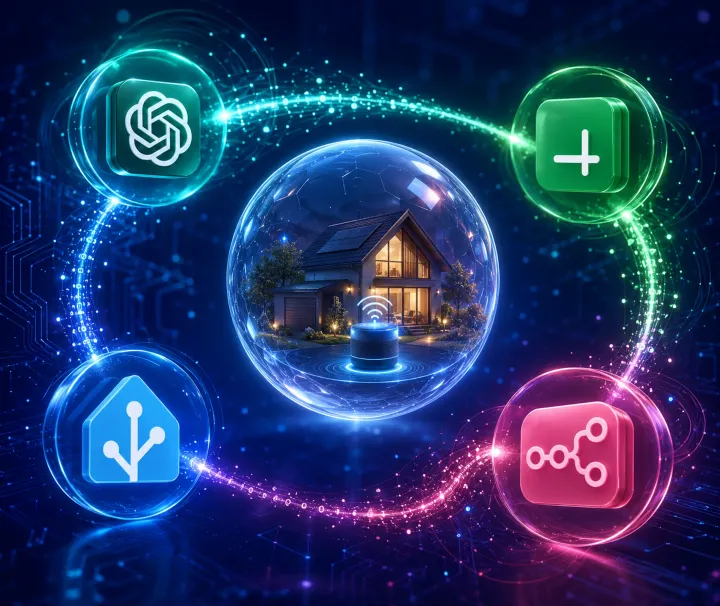
Fastmail Calendar → Home Assistant → OpenAI TTS → Home Assistant Voice
And separately:
Home Assistant → ntfy → Phone
Fastmail provides the calendar.
Home Assistant decides when I need to be interrupted and what should be said.
OpenAI TTS turns that message into natural speech.
Home Assistant Voice actually says it.
And ntfy makes sure the same reminder reaches my phone whether I'm home or not.
No Alexa routine. No Google Calendar dependency. No weird chain of cloud assistants passing messages around like an unnecessarily complicated game of telephone.
The goals haven't changed:
- Calendar-driven reminders
- Multiple countdown warnings
- Spoken contextual messages
- Phone notifications
- No 3 a.m. calendar jump scares
- As little manual intervention as possible
The difference is that Home Assistant now owns much more of the experience from beginning to end.
🧠 ADHD Brain Note
Every external dependency is another thing Future You may eventually have to remember how to fix. Future You already has enough going on.
Home Assistant's current approach for this is Remote Calendar, which works perfectly with Fastmail's published ICS calendars.
An ICS feed is essentially a read-only stream of calendar events. Home Assistant can periodically read it and turn those events into a calendar entity that automations can use.
Publish Your Fastmail Calendar
In Fastmail:
- Go to Settings → Calendar.
- Select the calendar you want Home Assistant to access.
- Publish the calendar as read-only.
- Copy the generated ICS URL.
Fastmail's published calendar URL typically starts with:
https://user.fm/...Because the calendar is published read-only, Home Assistant doesn't need your Fastmail password or an app-specific password just to retrieve the events.
Add the Calendar to Home Assistant
In Home Assistant:
- Go to Settings → Devices & Services.
- Add Remote Calendar.
- Paste your Fastmail ICS URL.
- Complete the setup.
If you name it "Fastmail Remote Calendar," you'll end up with an entity similar to:
calendar.fastmail_remote_calendarThat entity is where things get interesting.
Home Assistant can now use your calendar events as automation triggers.
Your calendar has officially become infrastructure.
⚠️ One Very Specific Problem I Ran Into
Naturally, mine didn't work immediately.
Because that would have been suspiciously easy.
Zenarmor on my OPNsense firewall flagged Fastmail's user.fm domain as malicious and blocked Home Assistant from retrieving the calendar.
Fastmail wasn't the problem. My security filtering was simply being a little too enthusiastic.
If Remote Calendar isn't updating, check:
- Zenarmor or another security filtering service
- DNS filtering
- Outbound firewall rules
- Whether Home Assistant can actually reach the ICS URL
After whitelisting the domain, the calendar started working normally.
🧠 ADHD Brain Note
When something "simple" doesn't work, check the boring infrastructure first. You can save yourself a three-hour debugging side quest.
Step 2: Build Around How Time Blindness Actually Works
The automation triggers four times before every calendar event:
- 1 hour
- 30 minutes
- 15 minutes
- 5 minutes
That might seem excessive if your internal clock functions normally.
Mine has apparently been replaced with a random number generator.
The different intervals serve different purposes.
One hour gives me awareness.
I don't necessarily need to do anything yet, but whatever I'm doing now shouldn't become a three-hour commitment.
Thirty minutes means the event is becoming real.
Wrap things up. Save your work. Maybe don't start upgrading Proxmox right now.
Fifteen minutes means transition.
Bathroom. Water. Find the meeting link. Figure out why the webcam suddenly believes it's 2007.
Five minutes means stop.
The current task has lost jurisdiction.
That's why one reminder isn't enough. I'm not trying to tell myself the same information four times.
I'm progressively increasing the relevance of the information as the event approaches.
The automation also only runs between 7 a.m. and 9 p.m.
Because my smart home should compensate for executive dysfunction, not create new reasons to throw electronics across the room.
🧠 ADHD Brain Note
The best reminder isn't necessarily the loudest one. It's the one that arrives when the information becomes actionable.
Step 3: Make the Reminder Sound Like a Human
The first version of this automation generated a simple message:
"Hey, you've got 15 minutes until Project Sync."
Functional?
Absolutely.
Interesting after hearing essentially the same sentence several times every day?
Not particularly.
So the current automation randomly chooses from several reminder phrases.
For example:
"Time check! Project Sync is only 15 minutes away."
Or:
"Your future self scheduled Project Sync, and it's happening in 15 minutes."
Or my personal favorite:
"Plot twist: you have plans. Project Sync starts in 15 minutes."
There are also different messages available when an event is starting immediately:
"It's go time. Project Sync is starting now."
"Your calendar has spoken. Project Sync is starting right now."
"Temporal alert! Project Sync begins right now."
This isn't just me being incapable of creating an automation without giving it personality.
Although... guilty.
Variation helps keep repeated notifications from becoming background noise.
If my house repeats the exact same sentence every day, eventually my brain learns that sound means "ignore this."
Changing the language makes the reminder slightly novel while preserving the information I actually need.
🧠 ADHD Brain Note
If your brain starts automatically filtering out a notification, the notification technically works and functionally doesn't.
Step 4: Add a Tiny Attention Cue Before the Voice
Before Home Assistant speaks the reminder, I play a short positive bell sound through the Home Assistant Voice media player.
It's only a few seconds long.
But that tiny step makes a surprisingly big difference.
Instead of speech suddenly appearing from across the room while I'm concentrating on something else, I hear:
✨ ding
Then the reminder.
The sound gives my attention a moment to transition before the useful information arrives.
Think of it like someone saying your name before asking you a question instead of walking into the room halfway through the sentence.
Without that cue, there's a decent chance my brain won't process the first few words.
And when the first few words are:
"You've got 15 minutes..."
...missing them is somewhat counterproductive.
Step 5: Let OpenAI TTS Do the Talking
This is the biggest change from the original version of this setup.
Instead of sending the reminder to Alexa, Home Assistant now uses OpenAI TTS to generate the speech.
My automation calls:
action: tts.speakand targets my OpenAI TTS entity:
tts.openai_tts_open_ai_tts_verseI'm using the Verse voice.
Home Assistant then sends the generated audio to:
media_player.main_bedroom_home_assistant_voice_media_playerSo the flow becomes:
Calendar event
      ↓
Home Assistant automation
      ↓
Generate reminder text
      ↓
Play attention sound
      ↓
OpenAI TTS
      ↓
Home Assistant Voice
That's much closer to what I originally wanted from this project.
Home Assistant isn't simply triggering somebody else's voice assistant anymore.
It's the actual automation platform and the delivery system.
The OpenAI integration provides the natural-sounding voice, while Home Assistant controls the context around it.
I can decide:
- what gets announced;
- when it gets announced;
- which speaker receives it;
- whether I'm home;
- what language gets generated;
- what happens before or after the announcement.
That gives me significantly more control than treating a smart speaker as a mysterious cloud appliance and politely asking it to cooperate.
Step 6: Only Talk When I'm Actually Home
There's another important condition inside the automation.
Before playing anything through Home Assistant Voice, Home Assistant checks:
condition: zone
entity_id: person.aj_tatum
zone: zone.home
If I'm home, the announcement plays.
If I'm not home, my empty bedroom doesn't receive four increasingly urgent reminders about my calendar.
The phone notification, however, still happens.
That's important because presence changes how I should receive the reminder, not whether I need the reminder at all.
Home:
Voice + phone
Away:
Phone
That's a small architectural detail, but it's exactly the kind of contextual behavior that makes a smart home actually feel smart.
🧠 ADHD Brain Note
Context-aware notifications beat more notifications. Your house should know the difference between "AJ needs this" and "technically I can send this."
Step 7: Keep ntfy as the Safety Net
Voice announcements are great when I'm home.
They're completely useless when I'm somewhere else.
So every reminder also goes through my self-hosted ntfy instance:
- action: ntfy.publish
  data:
    title: Upcoming Event
    tags:
      - calendar
    message: '{{ calendar_message }}'
  target:
    entity_id: notify.calendar_events
The important detail is that this happens outside the "am I home?" condition.
Home Assistant Voice is contextual.
The phone notification is universal.
I've experimented with other notification platforms including Pushover, Pushbullet, and Simplepush, and any of those could fill this role.
I happen to like ntfy because I can self-host it and configure different notification behavior for different topics.
Use whatever notification system you'll actually pay attention to.
The technologically "best" notification service that you instinctively swipe away is not the best notification service.
The Full Home Assistant Automation
Here's the current version running the whole thing:
alias: 'Fastmail Calendar: Upcoming Event Notifications'
description: ''
triggers:
  - entity_id: calendar.fastmail_remote_calendar
    event: start
    offset: '-0:5:0'
    trigger: calendar
  - entity_id: calendar.fastmail_remote_calendar
    event: start
    offset: '-0:15:0'
    trigger: calendar
  - entity_id: calendar.fastmail_remote_calendar
    event: start
    offset: '-0:30:0'
    trigger: calendar
  - entity_id: calendar.fastmail_remote_calendar
    event: start
    offset: '-1:0:0'
    trigger: calendar

conditions:
  - condition: time
    after: '07:00:00'
    before: '21:00:00'
    enabled: true

actions:
  - variables:
      time_left: >
        {% set event_start = as_timestamp(trigger.calendar_event.start) %}
        {% set time_diff = (event_start - as_timestamp(now())) / 60 %}

        {% if time_diff >= 59 %}
          1 hour
        {% elif time_diff >= 29 %}
          30 minutes
        {% elif time_diff >= 14 %}
          15 minutes
        {% elif time_diff >= 4 %}
          5 minutes
        {% elif time_diff >= 1 %}
          a few minutes
        {% else %}
          right now
        {% endif %}

      calendar_message: |
        {% set event = trigger.calendar_event.summary %}
        {% if time_left | trim == "right now" %}
          {% set messages = [
            "Hey, " ~ event ~ " is starting right now.",
            "Heads up! " ~ event ~ " starts right now.",
            "It's go time. " ~ event ~ " is starting now.",
            "Calendar alert! " ~ event ~ " is happening right now.",
            "Attention please. " ~ event ~ " starts now.",
            "Your calendar has spoken. " ~ event ~ " is starting right now.",
            "Time's up! " ~ event ~ " starts now.",
            "Plot twist: it's time for " ~ event ~ ".",
            "No more procrastinating. " ~ event ~ " is starting now.",
            "Temporal alert! " ~ event ~ " begins right now."
          ] %}
        {% else %}
          {% set messages = [
            "Hey, you've got " ~ time_left ~ " until " ~ event ~ ".",
            "Heads up! " ~ event ~ " is coming up in " ~ time_left ~ ".",
            "Just a reminder, " ~ event ~ " starts in " ~ time_left ~ ".",
            "Calendar alert! You've got " ~ time_left ~ " before " ~ event ~ ".",
            "Don't get distracted now. " ~ event ~ " starts in " ~ time_left ~ ".",
            "Your future self scheduled " ~ event ~ ", and it's happening in " ~ time_left ~ ".",
            "Time check! " ~ event ~ " is only " ~ time_left ~ " away.",
            "Friendly reminder from your overly attentive calendar: " ~ event ~ " starts in " ~ time_left ~ ".",
            "Plot twist: you have plans. " ~ event ~ " starts in " ~ time_left ~ ".",
            "Attention, temporal traveler. " ~ event ~ " begins in " ~ time_left ~ "."
          ] %}
        {% endif %}
        {{ messages | random }}

  - if:
      - condition: zone
        entity_id: person.aj_tatum
        zone: zone.home
    then:
      - action: media_player.play_media
        metadata: {}
        target:
          entity_id: media_player.main_bedroom_home_assistant_voice_media_player
        data:
          media:
            media_content_id: >-
              media-source://media_source/local/positive-bell-twinkle-alert-ni-sound-1-00-03.mp3
            media_content_type: audio/mpeg
            metadata:
              title: positive-bell-twinkle-alert-ni-sound-1-00-03.mp3
              thumbnail: null
              media_class: music
              children_media_class: null
              navigateIds:
                - {}
                - media_content_type: app
                  media_content_id: media-source://media_source
              browse_entity_id: media_player.main_bedroom_home_assistant_voice_media_player

      - action: tts.speak
        metadata: {}
        target:
          entity_id: tts.openai_tts_open_ai_tts_verse
        data:
          cache: false
          media_player_entity_id: media_player.main_bedroom_home_assistant_voice_media_player
          message: '{{ calendar_message }}'

  - action: ntfy.publish
    data:
      title: Upcoming Event
      tags:
        - calendar
      message: '{{ calendar_message }}'
    target:
      entity_id: notify.calendar_events

mode: queued
You'll obviously need to replace my entity IDs with your own.
The important parts aren't the names.
They're the pattern:
calendar → calculate urgency → generate human language → check context → get attention → speak → notify
Why the Time Calculation Uses Ranges
There's one slightly weird-looking part worth explaining:
{% if time_diff >= 59 %}
  1 hour
{% elif time_diff >= 29 %}
  30 minutes
{% elif time_diff >= 14 %}
  15 minutes
{% elif time_diff >= 4 %}
  5 minutes
Why not exactly 60, 30, 15, and 5?
Because computers and clocks enjoy finding creative ways to disagree by fractions of a second.
The automation might technically execute when there are 29.99 minutes remaining.
If I require exactly 30 minutes, I risk generating the wrong message because reality dared to contain milliseconds.
The small tolerance makes the automation more resilient.
It doesn't matter whether there are exactly 30 minutes remaining.
What matters is that this is the 30-minute reminder.
Infrastructure should represent human intent, not win arguments against floating-point math.
Why Randomized Messages Actually Matter
The randomized messages might look like unnecessary flair.
For me, they're functional.
Repeated notifications become invisible.
That's especially dangerous when you've built an automation specifically because your attention is unreliable in the first place.
Compare hearing this four times:
"You have an upcoming calendar event."
...with:
"Your future self scheduled Project Sync, and it's happening in 30 minutes."
Then later:
"Time check! Project Sync is only 15 minutes away."
Then:
"Plot twist: you have plans. Project Sync starts in 5 minutes."
Same information.
Different presentation.
The reminder stays recognizable without becoming completely predictable.
That tiny bit of novelty helps it break through whatever I'm currently hyperfocused on.
🧠 ADHD Brain Note
Automation shouldn't just deliver information. It should deliver information in a way your brain still notices six months later.
What This Actually Solved
This automation did not cure time blindness.
It didn't magically make me punctual.
And Home Assistant Voice has yet to physically remove me from my chair and place me in front of Microsoft Teams.
Probably for the best.
What the system did accomplish was removing a surprising amount of background cognitive load.
I don't need to constantly calculate:
"If the meeting starts at 2:30 and it's 1:47 and I want fifteen minutes to prepare and..."
Home Assistant already knows.
It watches the calendar.
It tracks the event.
It interrupts me when the information becomes relevant.
My responsibility isn't remembering that time exists.
My responsibility is responding when the system tells me it's time to transition.
That's a much smaller job.
TL;DR
My current setup uses:
Fastmail for my calendar.
Home Assistant Remote Calendar to bring those events into my smart home.
Home Assistant automations to trigger reminders at 60, 30, 15, and 5 minutes.
Randomized Jinja templates to keep the reminders from becoming background noise.
A short audio cue to grab my attention before speech starts.
OpenAI TTS using the Verse voice to generate natural-sounding announcements.
Home Assistant Voice to play those announcements when I'm home.
ntfy to send the same reminders to my phone regardless of where I am.
The infrastructure handles awareness.
My brain handles action.
That is exactly the division of labor I wanted.
🧠 ADHD Brain Note
When infrastructure carries the cognitive load, your brain gets to spend that energy somewhere more interesting.
The Smart Home I Actually Want
This project started because I wanted to recreate something Google had taken care of for me.
But it gradually became something better.
The goal of my smart home isn't to prove that I can automate things.
It's not to make dashboards with 147 entities.
It's definitely not to spend eight hours automating something that would have taken three seconds to do manually.
Although we're all going to continue doing that one.
The goal is to make my environment quietly compensate for things my brain isn't particularly good at doing consistently.
Remembering that I left a door open.
Turning lights off.
Knowing when medication needs attention.
Noticing that time passed while I was hyperfocused.
Remembering that a meeting exists before somebody sends:
"Are you joining?"
Those are exactly the kinds of problems computers are spectacular at solving.
Computers don't get distracted.
They don't experience time blindness.
They don't suddenly decide that reorganizing the network rack is more interesting than remembering an appointment.
So let them handle that part.
Final Thought
This isn't really an article about calendars.
And it's not really about OpenAI TTS or Home Assistant Voice either.
It's about designing systems that work with the brain you actually have instead of designing your life around the person productivity advice insists you should become.
Technology is exceptionally good at remembering things.
My brain is exceptionally good at becoming fascinated by things.
I'm increasingly comfortable letting each specialize.
If my house can notice time slipping away and gently say:
"Plot twist: you have plans."
That's not cheating.
That's good engineering.
Your Turn
If you live with ADHD, time blindness, or an apparently supernatural ability to make three hours disappear, what systems have you built around yourself?
Maybe it's Home Assistant.
Maybe it's phone alarms.
Maybe you've built something completely ridiculous that somehow works perfectly.
Those are usually my favorite solutions.
Share it in the comments. Someone else might be fighting exactly the problem you've already solved.
🧠 ADHD Brain Note
The best accessibility hack is often something another person built because they got tired of fighting the same problem.
Discussion